
Your fleet, in a window that stays open.
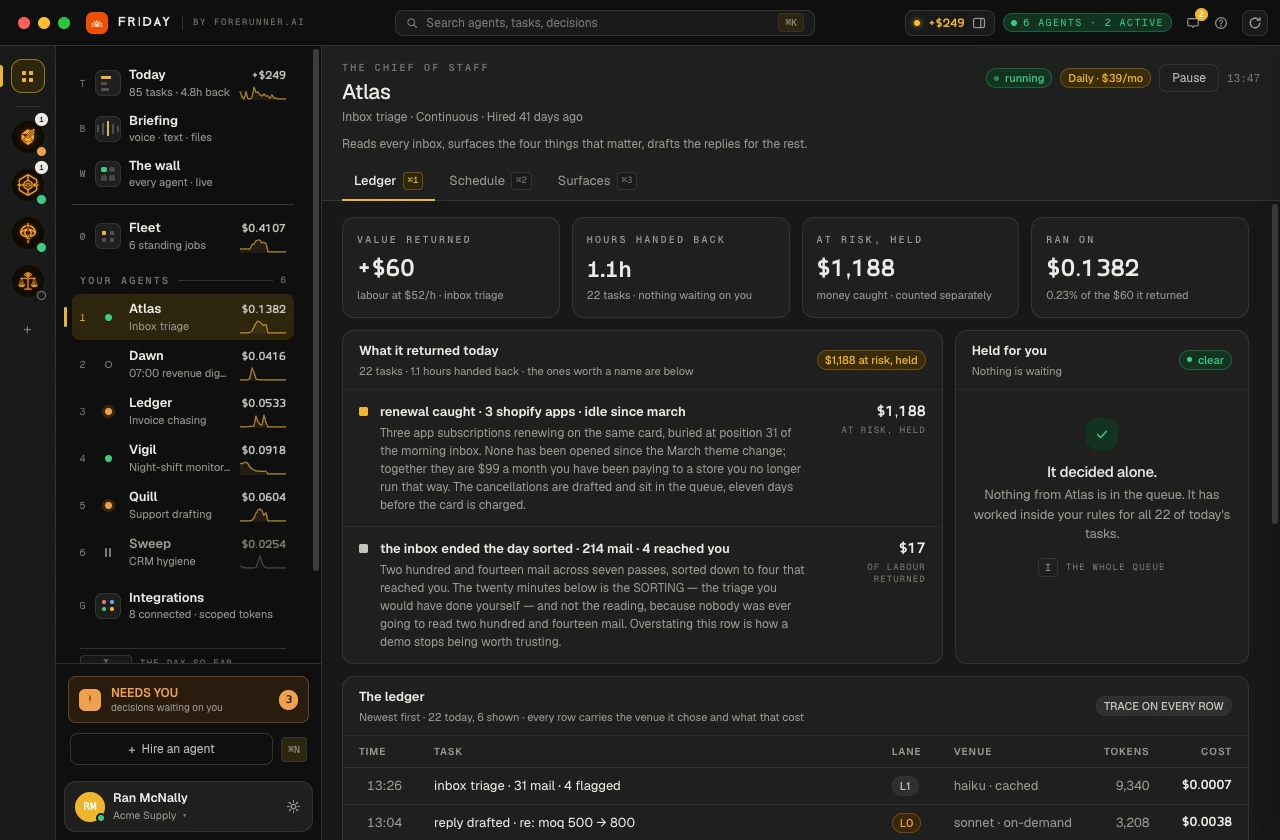
The desktop client is the console as a native app: today’s work replayed, the fleet, a wall of every agent running right now, and a line to any one of them. It signs in with the same Friday account as the web, and it keeps the meter in the corner of your eye.
v0.1.0 · built 2026-08-04 · from 1e730570
Three builds, three machines. Yours is one of the cards below.
We couldn’t place your machine, so all 5 builds are listed below with their hashes.
All 5 builds, with their hashes.
One binary per line, measured from the file itself. Check what you downloaded against the hash on this page — on macOS and Linux shasum -a 256 <file>, on Windows Get-FileHash <file>. They must match exactly.
macOS · Apple silicon
arm64 — M1 and later
Friday-0.1.0-arm64.dmg
111.8 MB
SHA-256 bff12d3c9fbdb297f55cb69792d2978d5c4d0ea84a953ae53e3f2ca9d3b84383
macOS · Intel
x86_64 — pre-2020 Macs
Friday-0.1.0-x64.dmg
119.6 MB
SHA-256 7efc1f30c032a3b6b90f3541141c7403eb8f0996f9fe56be845dbcfbda82ca83
Windows
x86_64 — Windows 10 and 11
Friday-0.1.0-Setup-x64.exe
94.8 MB
SHA-256 cca901d26c2bc60ac236bdf51386036e94e58f678381fb397f46ebc98e401e8b
Linux · AppImage
x86_64 — any distribution
Friday-0.1.0-x86_64.AppImage
117.6 MB
SHA-256 c7032d9e06c64593bfa2f854ff79938dde69cc0bb4868589e994f850945f918b
Linux · .deb
x86_64 — Debian and Ubuntu
Friday-0.1.0-amd64.deb
92.5 MB
SHA-256 ddcb833ec8c88351d150bd0c257b7760b2e6031e04f28baf9d98823d65b22901
Apple silicon and Intel Macs take different builds — an M-series Mac can run the Intel one under Rosetta, but the native build is the one to take. Linux ships as an AppImage that installs nothing and a .deb for Debian and Ubuntu. Windows is a per-user installer: no administrator prompt, and it does not touch anyone else’s account on the machine.
Your computer will ask about it exactly once.
Friday is not yet signed with a paid Apple or Windows certificate, so both operating systems will stop the first launch and say something alarming about software they cannot vouch for. Nothing is wrong with the download. Here is the sentence each of them uses and the way through it.
macOS
Gatekeeper stops the first launch
- 01Open the .dmg and drag Friday to Applications.
- 02The first launch is refused — these builds are signed, but not with a paid Apple Developer ID, and macOS treats that as unknown.
- 03Open System Settings → Privacy & Security, scroll to Security, and press Open Anyway next to Friday. Confirm once.
- 04That is the whole of it. Every launch after the first opens normally.
Windows
SmartScreen stops the installer
- 01Run the installer. Friday installs for your user — no administrator prompt.
- 02SmartScreen shows “Windows protected your PC” because the installer is not signed with a certificate we have yet bought.
- 03Choose More info → Run anyway.
- 04Friday lands in the Start menu and updates in place.
Linux
Two ways in, no gatekeeper
- 01AppImage:
chmod +x Friday-0.1.0-x86_64.AppImage, then run it. Nothing is installed system-wide. - 02Debian and Ubuntu:
sudo apt install ./Friday-0.1.0-amd64.deb— desktop entry and menu icon included. - 03Both need a normal desktop session; the app draws its own window chrome.
Signing certificates are bought, not earned, and they are on the list. When they land, these warnings go away and this section goes with them — we would rather explain the friction than pretend it is absent.
The iPhone app is built. You can’t install it yet.
That is the whole truth of it. The app to the right is real and running — the day’s takings, the four things that need a human, your standing agents, and a question box that reaches the same fleet. There is a watch glance too.
What it does not have is a way onto your phone. It is not in TestFlight and not in the App Store, and until it is, any button here would be a button that does nothing. So there isn’t one — there’s a list instead, and you will hear from us on the day it becomes installable.
One email when the iPhone build is installable. Nothing else.
In the meantime the desktop client above is the full surface. The web console is not a substitute on a phone: it needs a signed-in account and a window at least 1040 pixels wide.
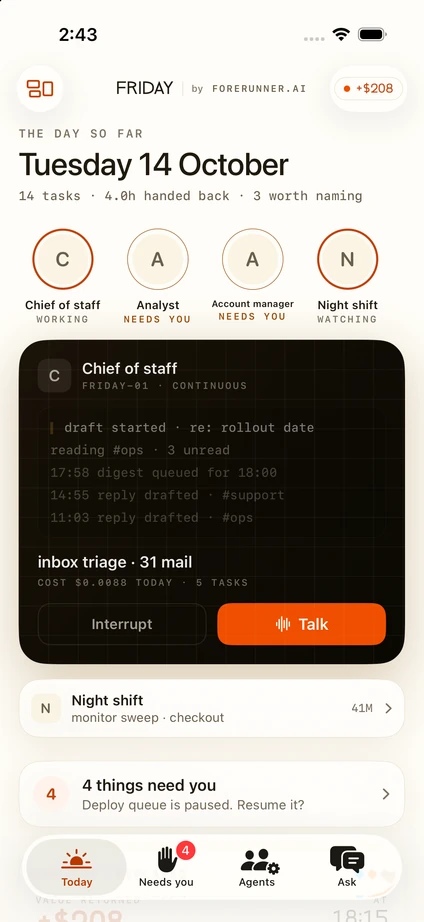
REAL SCREEN · NOT A MOCKUP
Trouble installing? Mail support@forerunner.ai and say which build and which machine.
FORERUNNER.AI ↗